
Nano Banana Product Prompts
Copy Nano Banana product prompts for realistic ecommerce edits, lifestyle scenes, product listings, and ad-ready product images.
Jun 30, 2026
What is a Nano Banana product prompt?
A Nano Banana product prompt should read like a precise editing brief. It should tell the model what product details to preserve, what scene to create, how the lighting should look, and which elements must not be changed.
Use the Product Photo Prompts generator when you want a customized version.
Nano Banana prompt formula
Edit this product into a realistic [style] product photo.
Preserve the exact product shape, color, material, logo placement, label text, and proportions.
Place it in [background or scene].
Use [lighting] and [camera angle].
Make it suitable for [platform].
Avoid extra logos, distorted geometry, unrealistic reflections, and unrelated accessories.
Sample result previews
Nano Banana prompts work best when the result is judged against product preservation and scene realism.
Lifestyle product edit
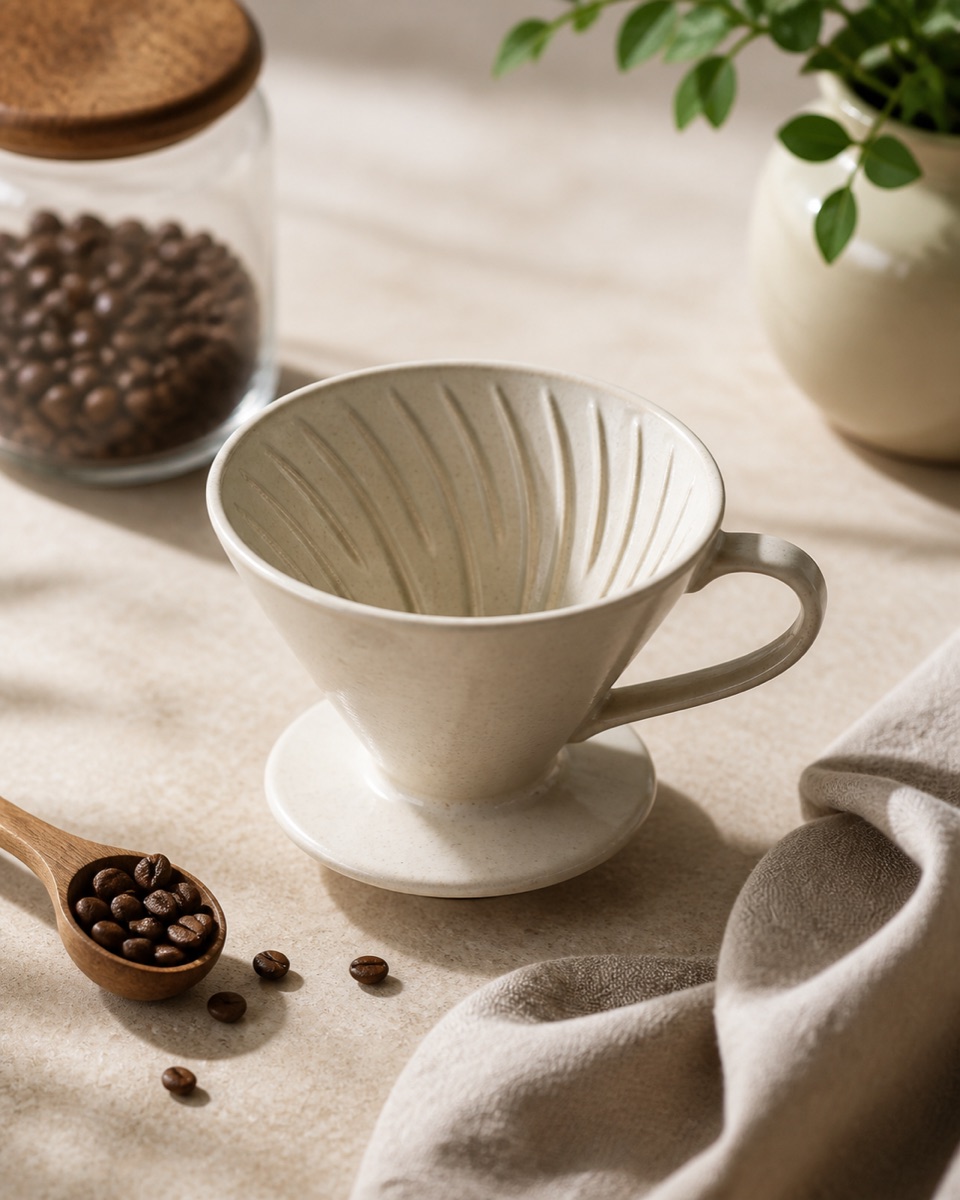
Edit this product into a realistic lifestyle product photo. Preserve the exact ceramic shape, color, handle, ribbed texture, and proportions. Place it on a warm beige kitchen counter with coffee beans and a folded linen towel. Use natural window light and a three-quarter top angle.Marketplace-ready edit
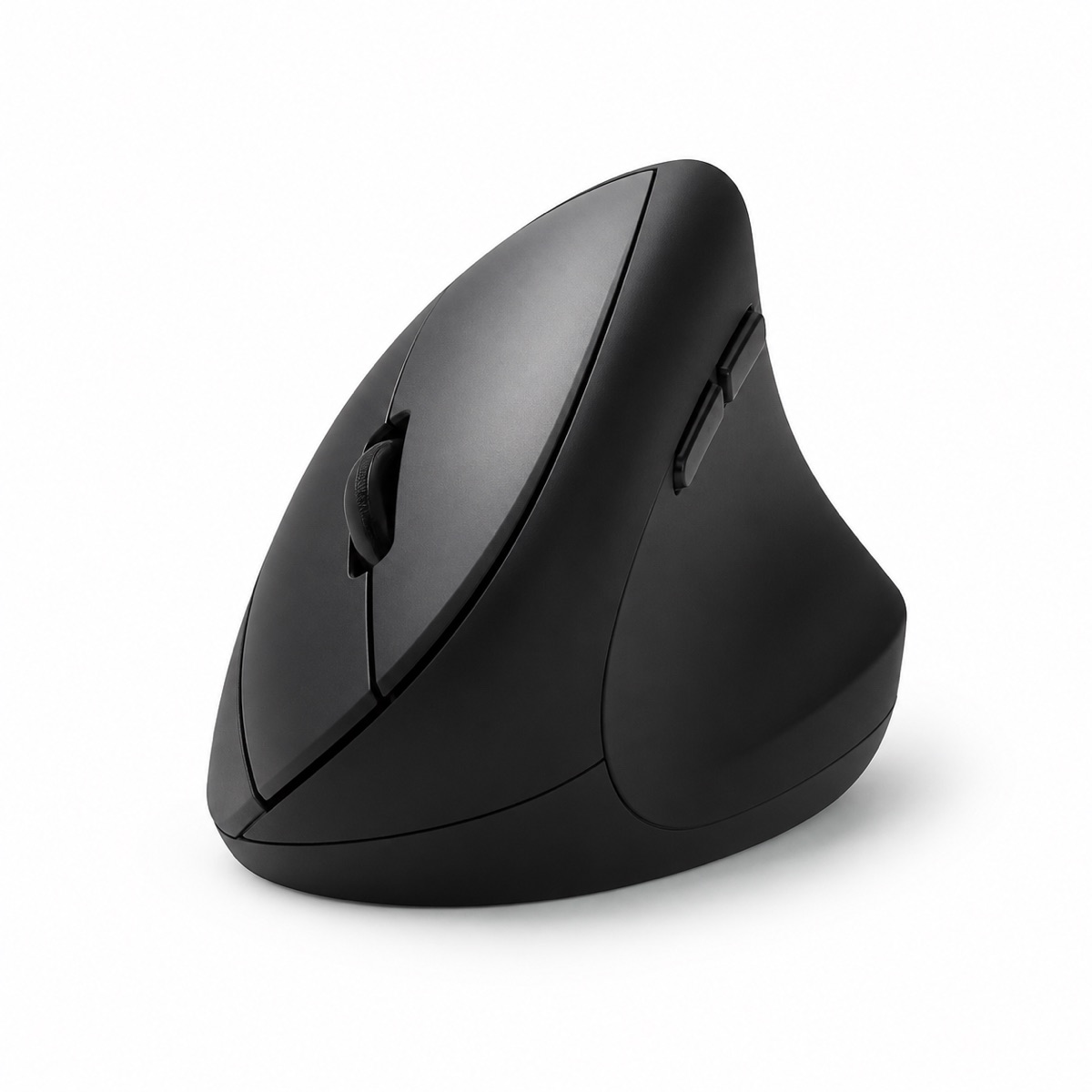
Edit this product into a marketplace-ready white-background product photo. Preserve the exact product geometry, buttons, scroll wheel, matte finish, and scale. Use a pure white background, natural contact shadow, centered composition, and even studio lighting. Avoid props and extra text.10 Nano Banana product prompts
1. Lifestyle ecommerce scene
Edit this product into a realistic lifestyle product photo. Preserve the exact product shape, color, material, label position, and proportions. Place it on a warm neutral kitchen counter with subtle props that support the use case. Use natural window light, soft shadows, and a three-quarter front angle. Make it suitable for a Shopify product page. Avoid changing the product design or adding unrelated accessories.2. White-background marketplace image
Edit this product into a marketplace-ready white-background product photo. Preserve the exact product geometry, color, material, logo placement, and any readable label text. Use a pure white background, natural contact shadow, even studio lighting, and a centered composition. Make it suitable for a product listing main image. Avoid props, extra text, or invented packaging.3. Premium beauty product
Edit this skincare product into a premium beauty product photo. Preserve the exact bottle shape, cap, label layout, logo placement, and liquid color. Place it on a clean bathroom shelf with subtle water droplets and soft neutral tiles. Use diffused morning light with realistic glass reflections. Keep the product sharp and commercially polished.4. Handmade jewelry listing
Edit this handmade jewelry item into a realistic Etsy listing photo. Preserve the exact gemstone color, metal finish, handmade texture, and product size. Place it on natural linen with a small ceramic tray. Use soft side window light and shallow depth of field. Avoid fake sparkles, exaggerated reflections, or changing the jewelry shape.5. Product bundle flat lay
Edit this product set into a clean ecommerce bundle flat lay. Preserve every item shape, color, label, and packaging detail. Arrange the items neatly on a light gray tabletop with balanced spacing. Use soft overhead studio lighting and a top-down camera angle. Make the layout clear for a product bundle page.6. Tech accessory desk scene
Edit this tech accessory into a realistic desk setup product photo. Preserve the exact device shape, ports, finish, button layout, and scale. Place it on a modern dark desk beside minimal work accessories. Use controlled studio lighting with subtle edge highlights. Avoid changing the product color or inventing extra features.7. Fitness product ad
Edit this fitness product into an ad-ready product image. Preserve the exact product color, logo, texture, and dimensions. Place it on a clean workout mat with subtle motion cues and bright natural light. Use a strong visual hierarchy suitable for paid social. Keep the scene realistic and avoid clutter.8. Food package shelf photo
Edit this packaged food product into a realistic grocery ecommerce photo. Preserve pouch shape, label text, nutrition callouts, logo placement, and package color. Place it on an off-white surface with a few relevant ingredients nearby. Use soft studio lighting and a straight-on camera angle. Keep packaging text readable.9. Home decor lifestyle shot
Edit this home decor product into a calm lifestyle product photo. Preserve the exact product material, color, texture, and proportions. Place it in a neutral living room setting with minimal decor. Use warm ambient light and soft fill light. Make it suitable for a catalog listing or website hero.10. Apparel texture close-up
Edit this apparel product into a premium fabric detail shot. Preserve the exact garment color, stitching, fabric texture, logo location, and silhouette. Use a clean studio background, soft directional lighting, and a close crop that highlights material quality. Avoid changing the garment fit or adding unrelated graphics.FAQ
Should Nano Banana prompts mention preservation?
Yes. Preservation constraints are the most important part of product-edit prompts.
Can I use one product image as input?
Yes, but make the prompt clear about what must stay unchanged and what scene should be created.
Should I ask for white backgrounds?
Use white backgrounds for marketplace main images. Use lifestyle scenes for Shopify, Etsy, ads, and brand pages.